
How to Register an Individual TIN (Tax File Number) via MyTax Portal
Artikel ini belum tersedia dalam Bahasa Melayu — menampilkan versi Inggeris buat sementara.
How to Register an Individual TIN (Tax File Number) via MyTax Portal
A Step-by-Step Guide for Malaysian Taxpayers
In Malaysia, your Tax Identification Number (TIN), also known as your Income Tax Number, is issued by the Inland Revenue Board (LHDN). This number is essential for filing taxes, opening business accounts, and complying with regulations like e-invoicing. Here’s how to register as a new taxpayer and obtain your TIN through the MyTax Portal.
Requirement
Before starting, ensure you have:
- A valid Malaysian IC (for citizens) or passport (for non-citizens).
- A mobile number and email address for verification.
- Stable internet connection (use a desktop/laptop for easier navigation).
Step 1: Access the MyTax Portal
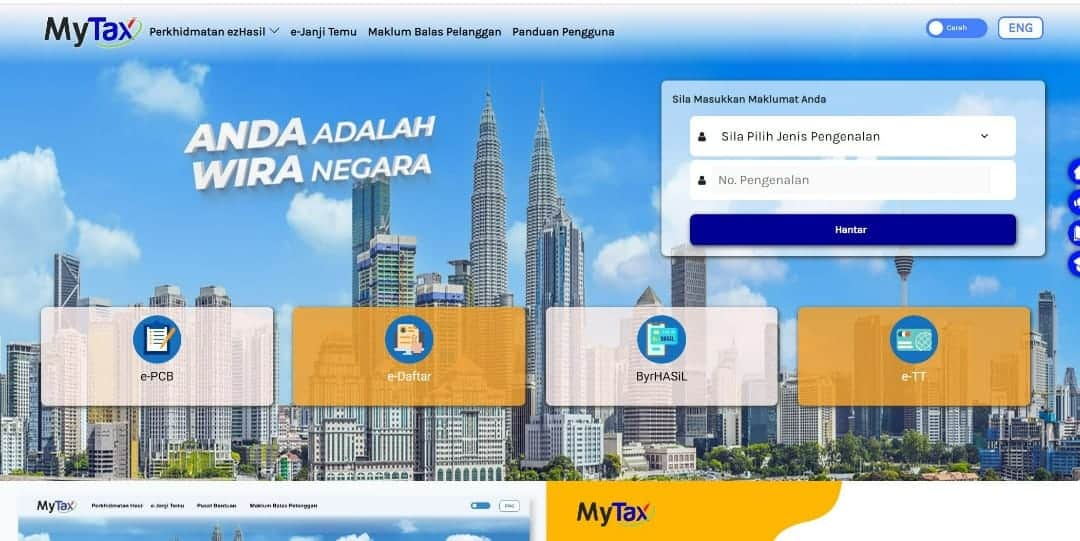
Go to the official LHDN MyTax Portal: https://mytax.hasil.gov.my.
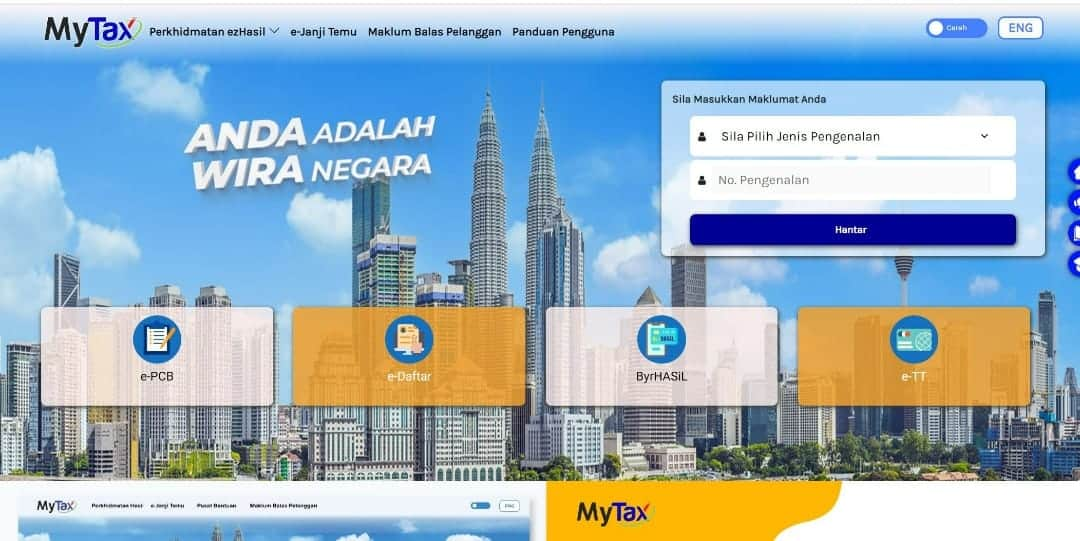
Click “e-Daftar” (located under the login button).
Step 2: Select User Type
- Choose “Individual” as your user type.
Fill in the required information:
- IC Number (for citizens) or Passport Number (for non-citizens).
- Mobile Number and Email Address.
- Fill in the Unique Reference Number given.
- Click “Cari”
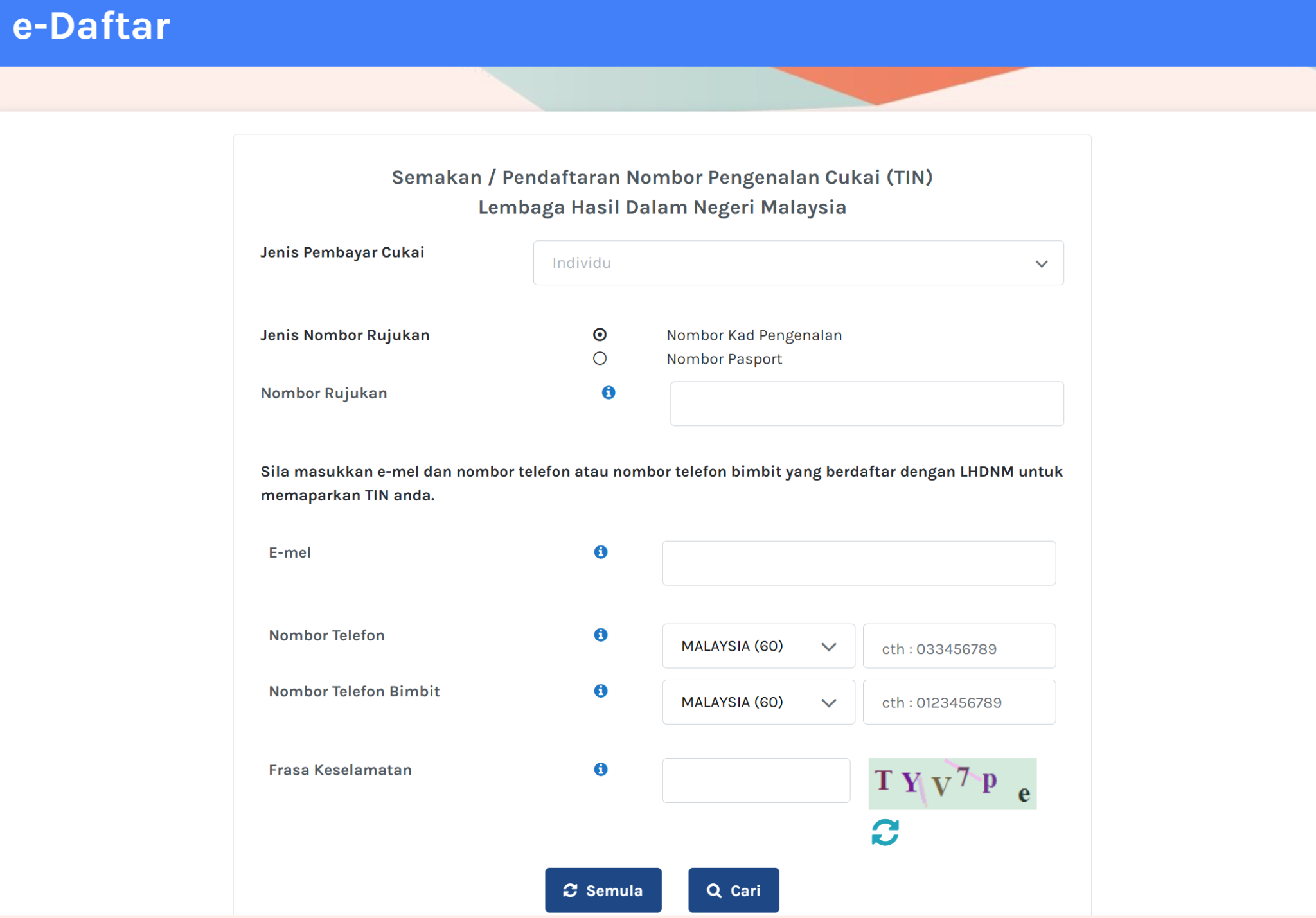
- The result will show either the information that you key in, the individual has registered a TIN number or if not, the system will allow you to do TIN Registration.
- If you do not have a TIN Number, proceed with the registration and fill in the required details and upload supporting documents required.
- Submit the registration and wait for the reply from LHDN via email.
Ada soalan atau perlukan penyelesaian kewangan pakar? Kami sedia membantu!
Hubungi kami hari ini untuk perkhidmatan perakaunan, payroll dan cukai yang disesuaikan dengan keperluan perniagaan anda.